
Publish a new theme
What you need
- A GitHub account
- JSON file containing your theme (you can export the JSON file using the Theme Builder)
Publish your theme
- Go to https://github.com/streetwriters/notesnook-themes and "Fork" the repo. (Don't forget to "Star" it as well!)

- Click the "Create fork" button on the next page.
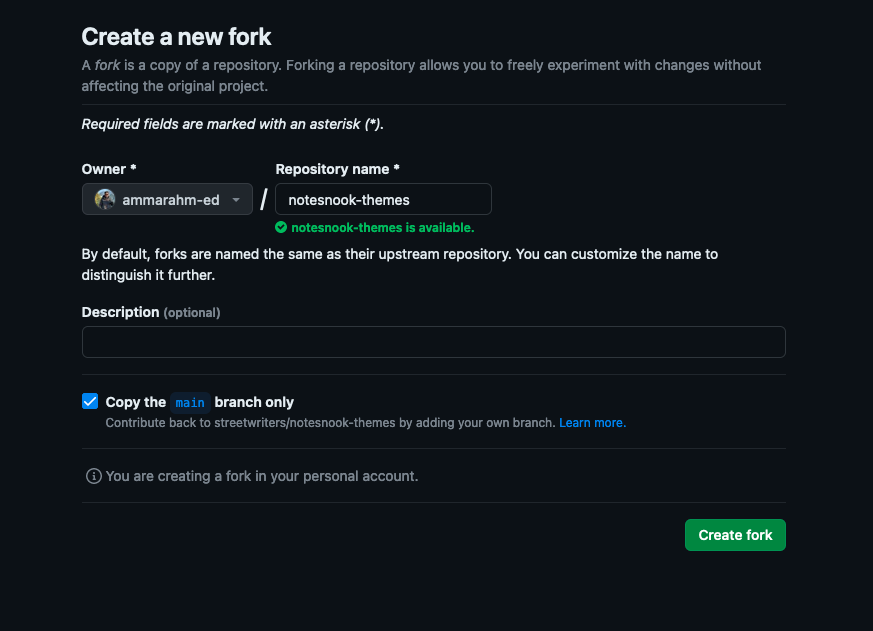
- Once your fork has been created, go to the
themes/directory and create a new file.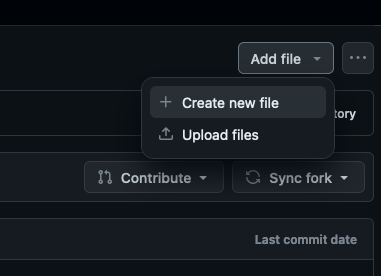
- Enter the path for your file as
{your-theme-id}/v1/theme.json. (Pressing/will create a new directory.)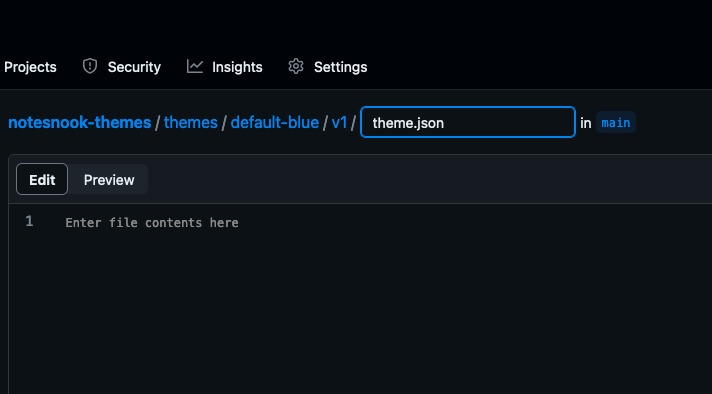
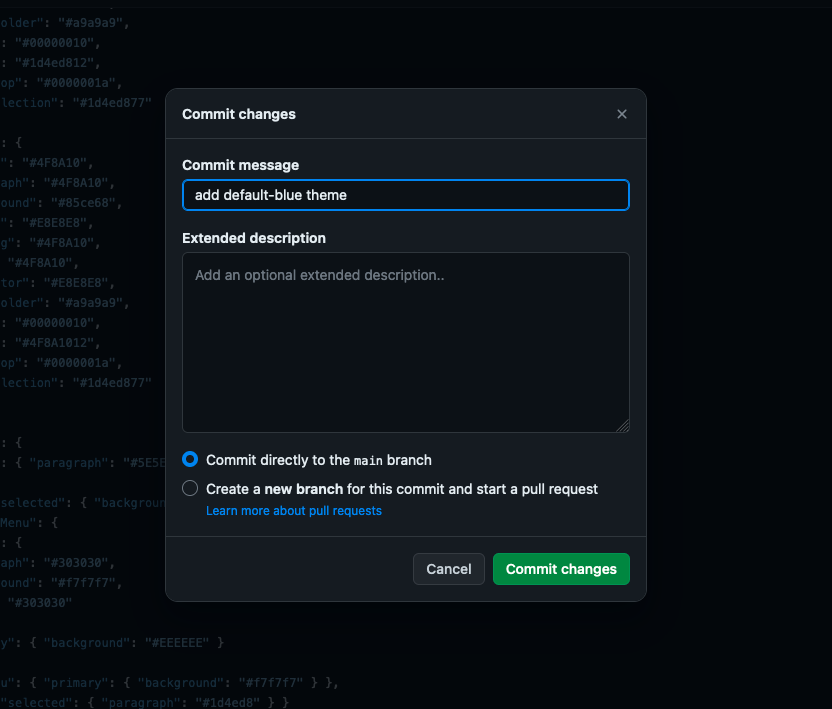
- Paste the contents of the JSON theme file and click "Commit changes".
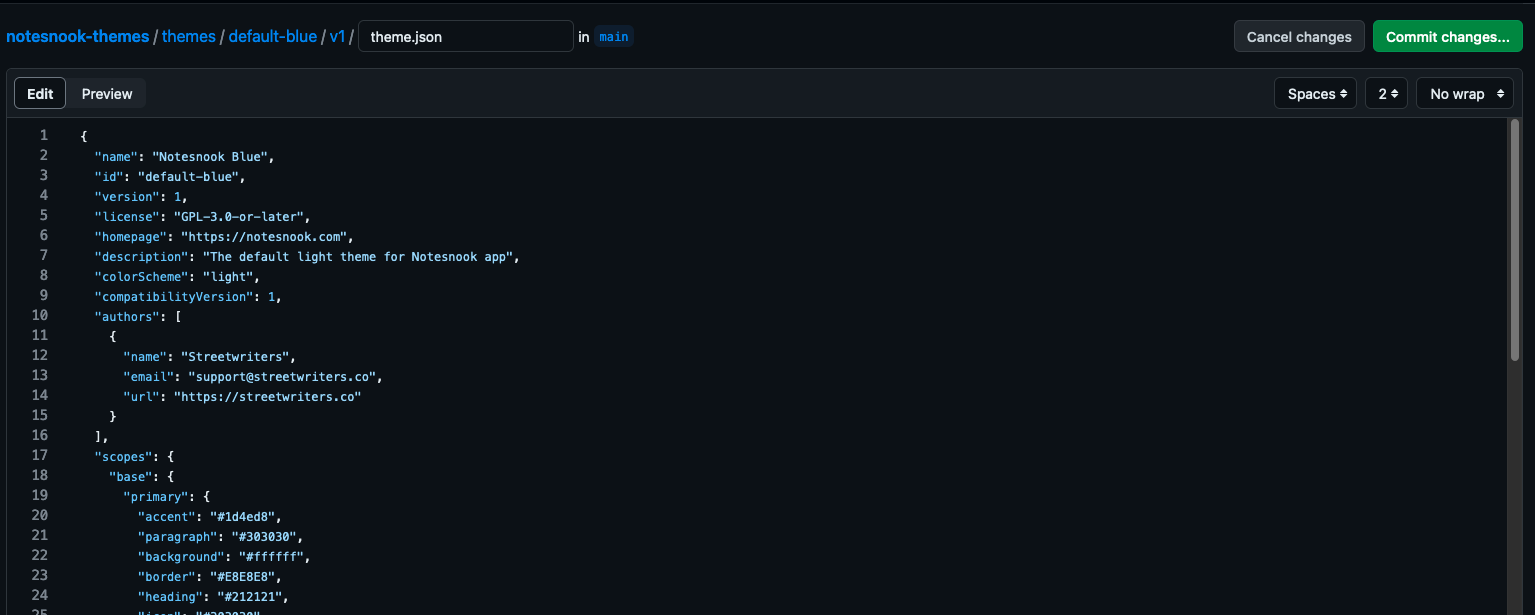
- Enter title of your commit as "add {your-theme-id} theme"
- Click "Commit changes"
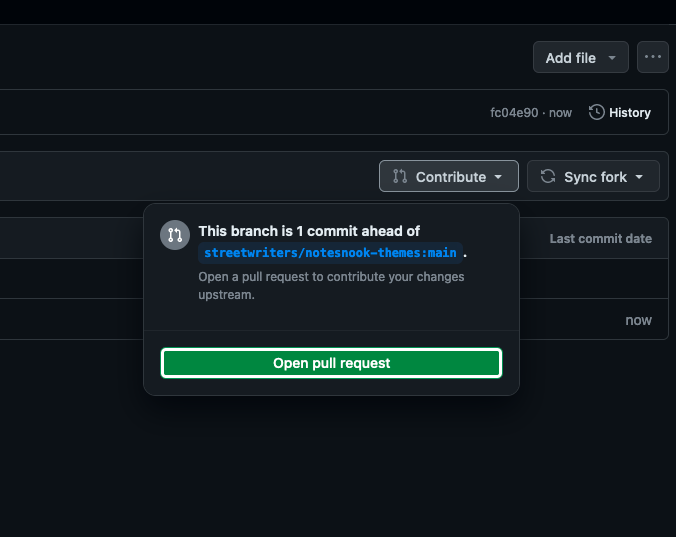
- On the next page, click "Contribute" and then click "Open pull request" from the popup.
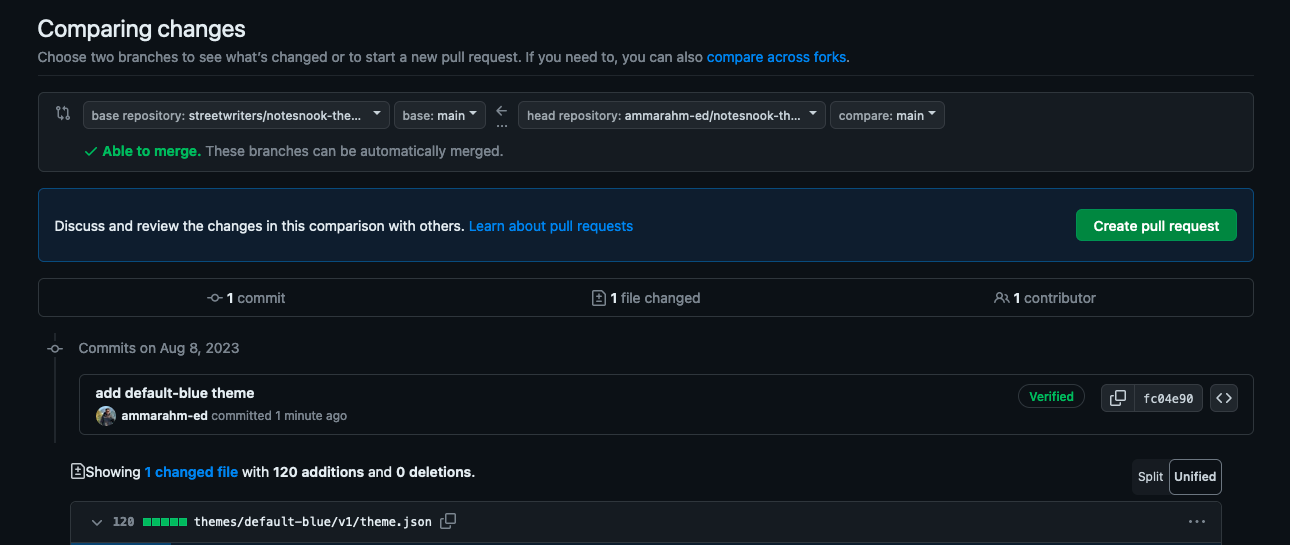
- Click "Create pull request"
- Click "Create pull request"
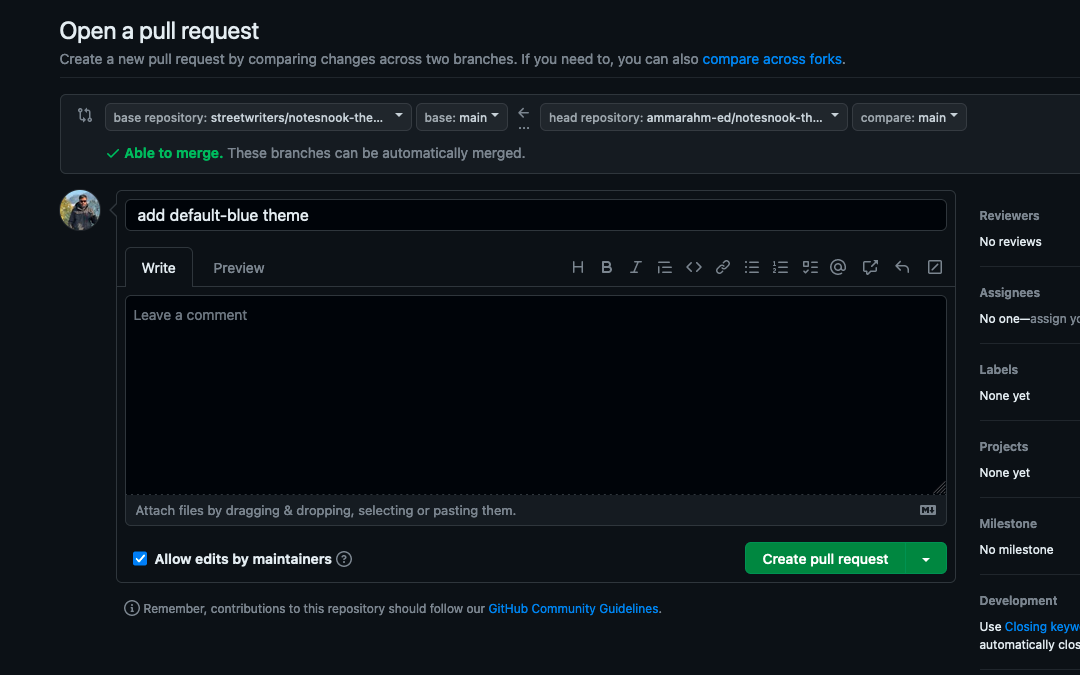
- And you are all done!
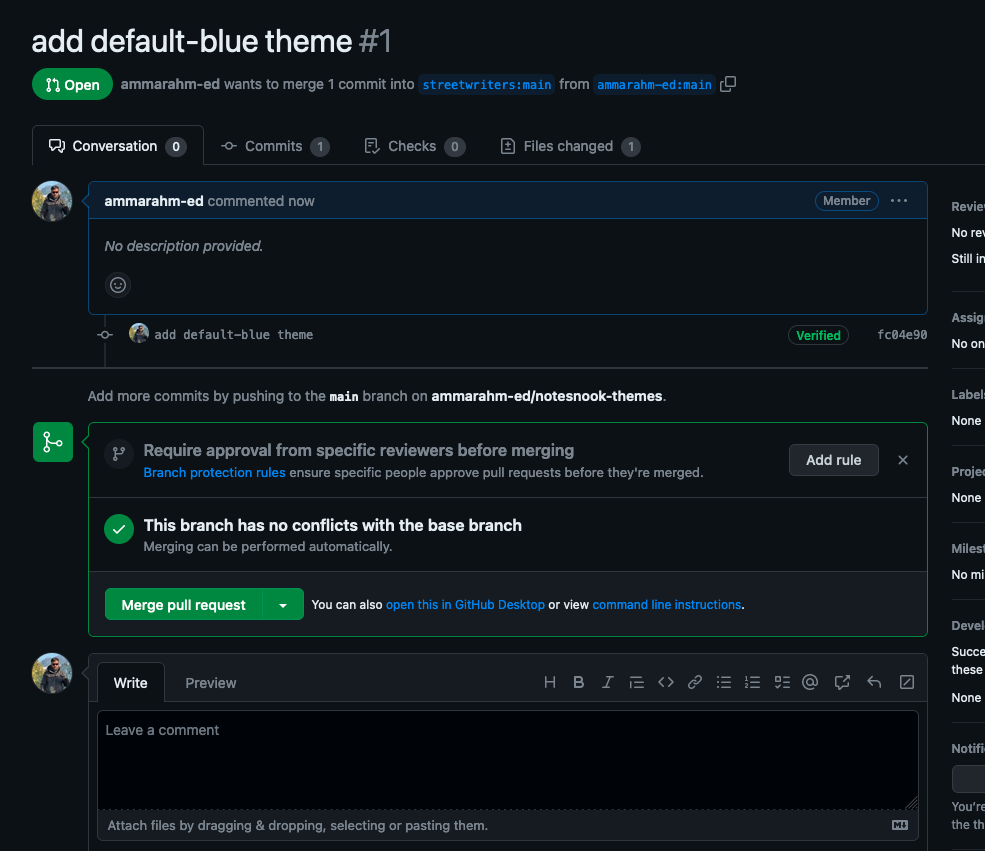
Update a published theme
Once your theme is published, you will probably need to push a new update for your theme to fix a color or change something. You can do this by selecting your theme as the starter theme in the Theme Builder and making the changes. Once everything is ready, export the changed theme as usual.
WARNING
Don't forget to increment the version of your theme; otherwise, no one will be able to see the changes.
To publish the updated theme, you will need to submit a new pull request in the same way as you did while publishing:
- Go to your fork on GitHub.
- Click "Sync fork" and then click the "Update branch" button.
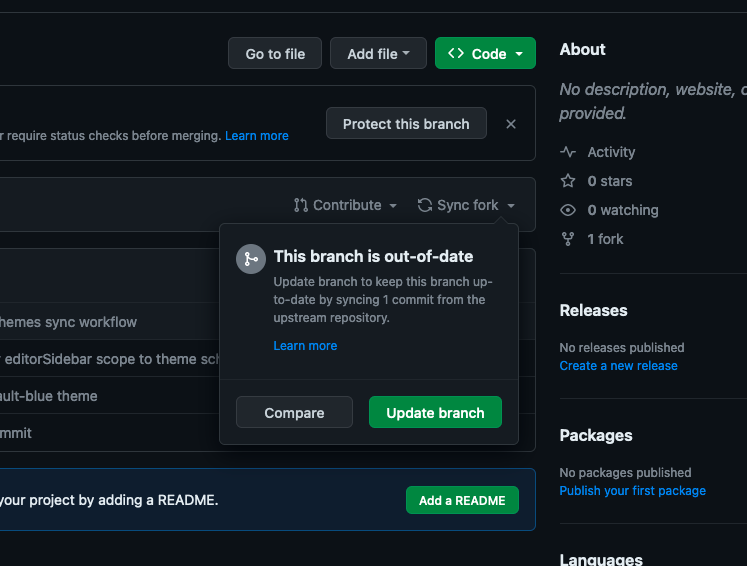
- Go to
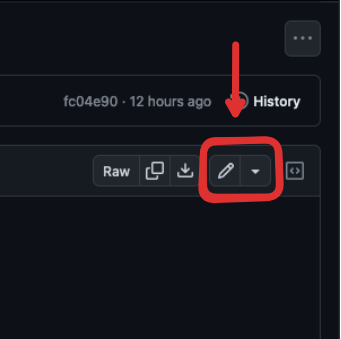
themes/your-theme-id/v1directory and open thetheme.jsonfile. - Click the Edit button
- Paste your updated theme and click "Commit changes".
- Enter title of your commit as
update {your-theme-id} themeand click "Commit changes".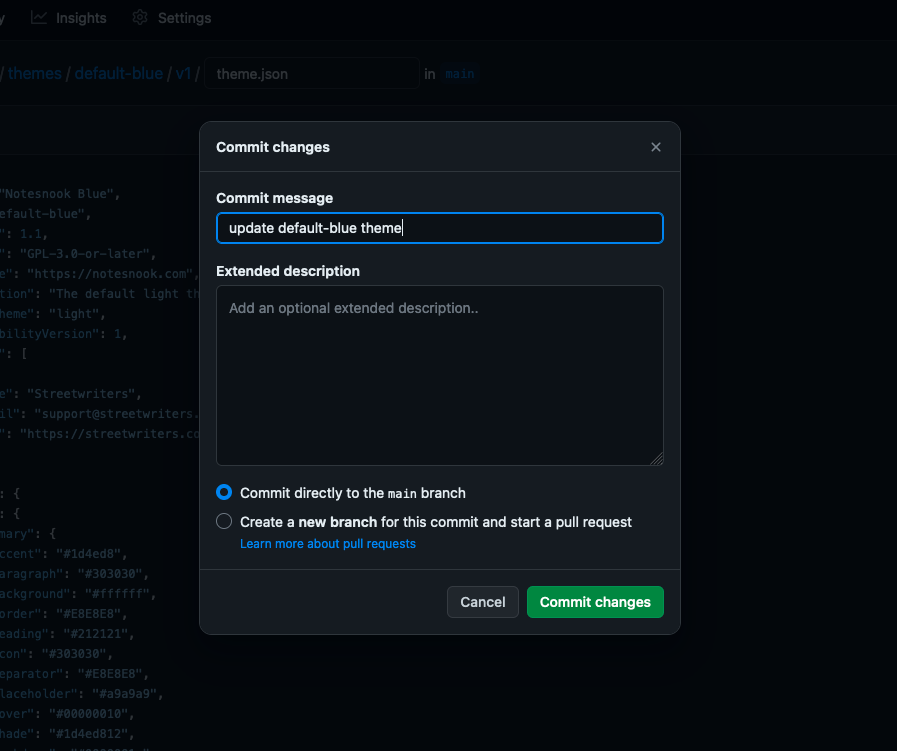
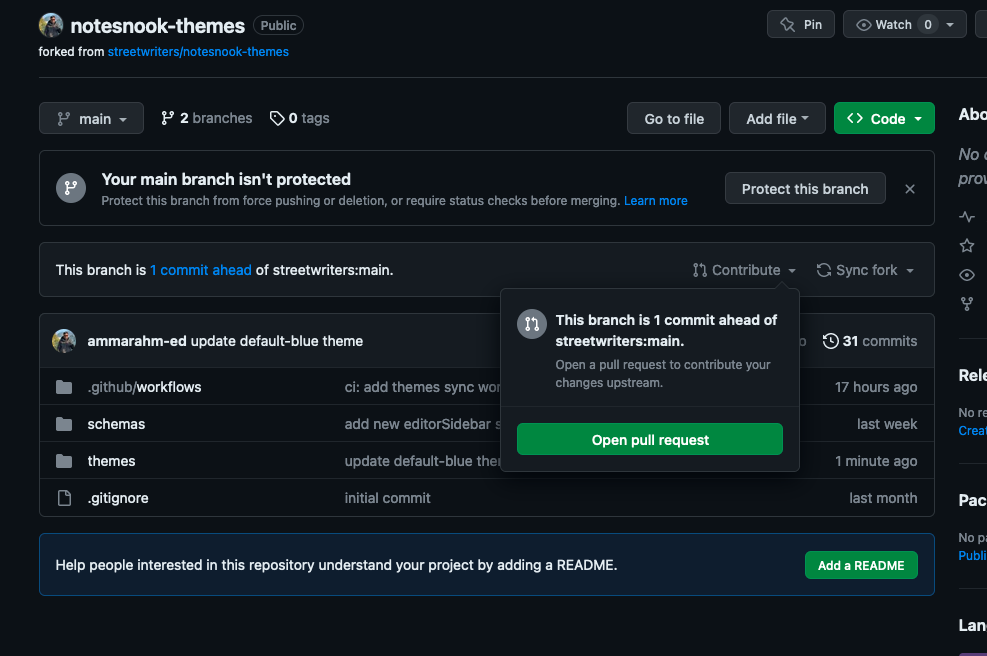
- Now go to the homepage of your fork and click "Contribute" and then click "Open pull request" in the popup.
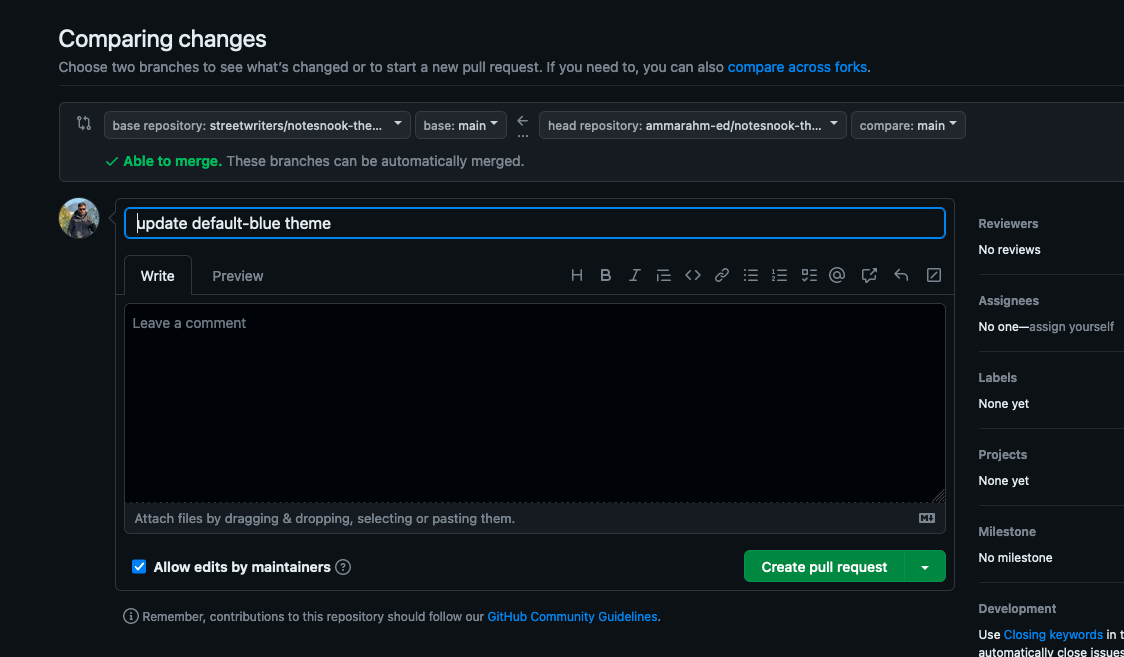
- Click "Create pull request"
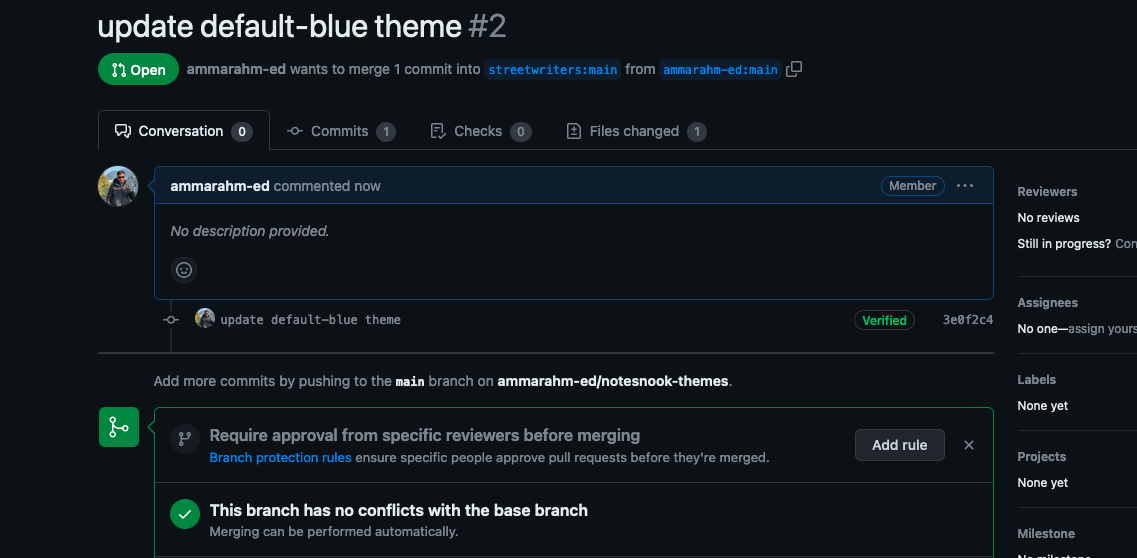
- You are all done!
Related pages
- Theme Builder — building a theme visually
- How themes work — scopes, variants and colors
- Using themes — light, dark and the theme store