
Markdown shortcuts in notes Essential
Markdown shortcuts turn what you type into formatting. Type # for a heading, **bold** for bold text, - for a bullet list, and Notesnook applies the formatting the moment you finish the pattern — you never have to reach for the toolbar.
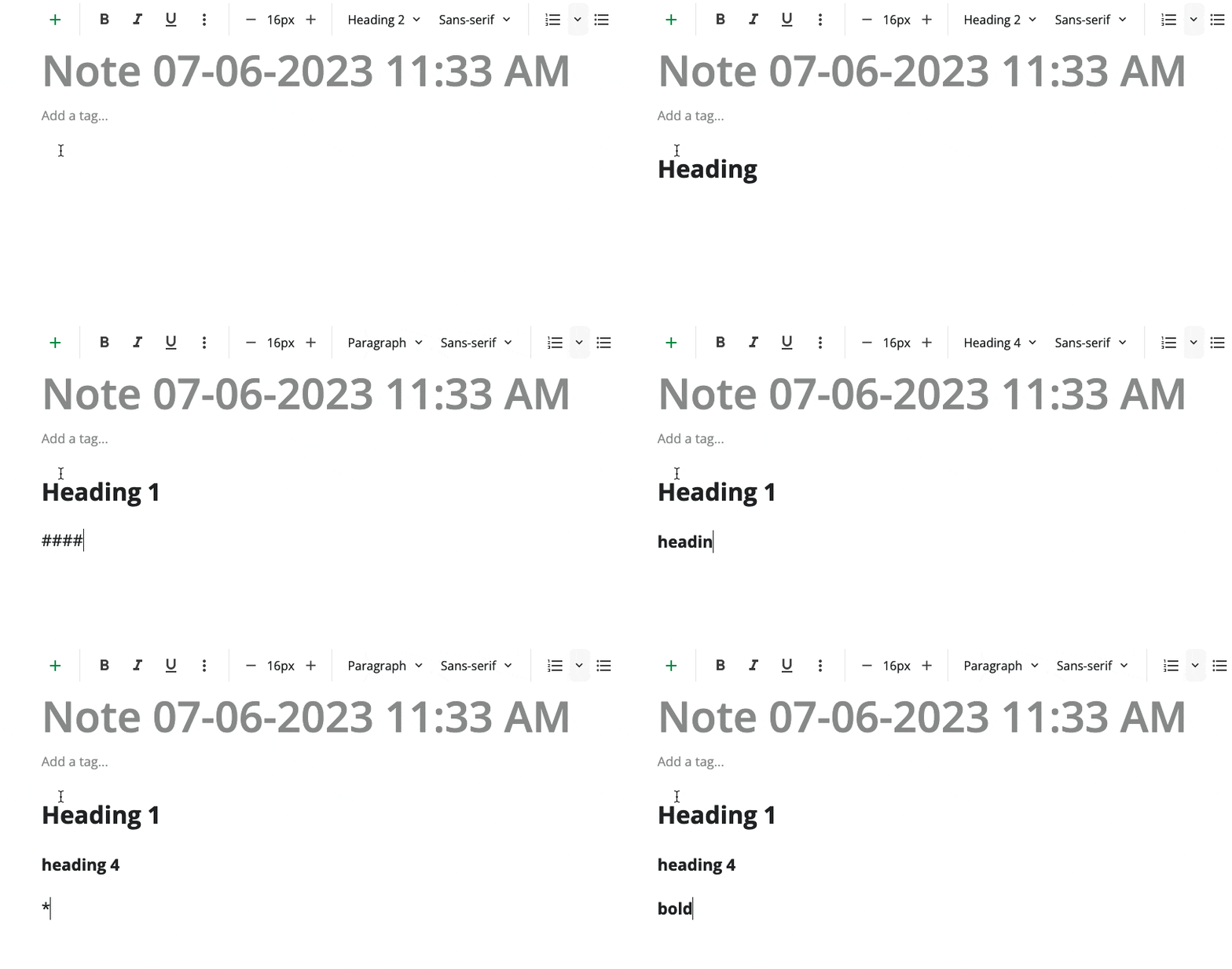
Turn Markdown shortcuts on
Markdown shortcuts are part of the Essential plan and above, and on the web and desktop apps they are switched off until you turn them on. On mobile they are on by default.
- Go to
Settings. - Open
Customization>Editor. - Turn on
Markdown shortcuts.
Nothing formats as you type until this is on
While Markdown shortcuts are off, every shortcut in the table below stops working — # headings, **bold**, list markers, code fences and math included. The toolbar and the keyboard shortcuts keep working either way.
Available shortcuts
Notesnook supports the following (Markdown) shortcuts in the editor:
| Block | Markdown shortcut |
|---|---|
| Heading 1 | # |
| Heading 2 | ## |
| Heading 3 | ### |
| Heading 4 | #### |
| Heading 5 | ##### |
| Heading 6 | ###### |
| Bold | **bold text** |
| Italic | _italicized text_ |
| Strikethrough | ~~strikethrough~~ |
| Blockquote | > blockquote |
| Ordered list | 1. First item 2. Second item 3. Third item |
| Unordered list | - First item - Second item - Third item |
| Task list | [x] Write the note [ ] Update the help [ ] Call the team |
| Outline list | -o Write the note -o Update the help -o Call the team |
| Inline code | `inline code` |
| Inline Math | $$2 + 2 = 4$$ |
| Horizontal rule | --- |
| Link | [title](https://www.example.com) |
| Codeblock | ```javascript function hello() { } ``` |
| Math block | $$$ followed by a space |
| Current Date | /date |
| Current Day | /day |
| Current Time | /time |
| Current Date & Time | /now |
| Current Date & Time with timezone | /nowz |
| Callout | >info Heads up >warn Careful >tip Try this |
Checklists and task lists share one shortcut
[] behaves differently depending on where you type it:
- inside an existing bullet list, it turns those bullets into a simple checklist;
- on an empty line, it creates a full task list with a title, a progress counter and sorting.
Task lists, outline lists and callouts all need the Essential plan or higher.
FAQs
Does Notesnook support Markdown editing?
No. The Markdown shortcuts listed above are exactly that: shortcuts. They'll help you to quickly use the various formats & blocks in the editor but they aren't raw Markdown.
Can I import and export Markdown files?
Yes. You can import Markdown files and export any note as Markdown, with or without frontmatter.
Related pages
- Editor toolbar — every formatting tool and how to customize the toolbar
- Code blocks — syntax highlighting for 297 languages
- Math & formulas — writing LaTeX in a note
- Personalizing the editor — fonts, spacing and title formats
- Plans & limits — what Essential, Pro and Believer unlock