
Share things from other apps
Both the Android and iOS apps register a share extension, so you can send text, links and files from any other app straight into a note.
The examples below use a browser, but the same share sheet works from any app that can share text, links or files.
- Select some text on a web page, then tap
Sharein the context menu.
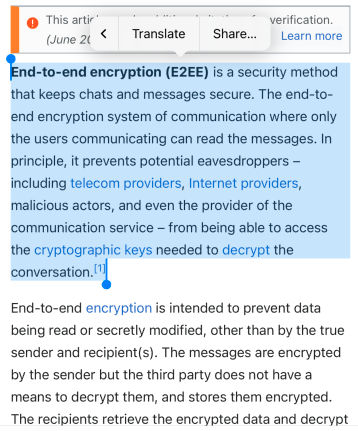
- Choose Notesnook from the list of apps.
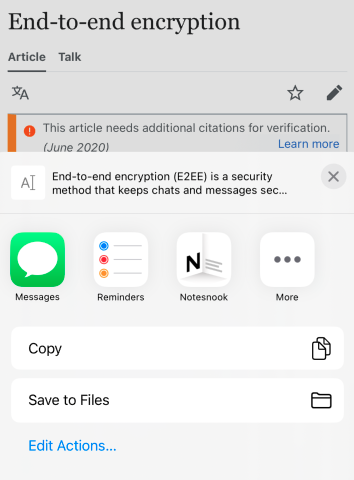
- Tap the save button at the bottom right. The clip is saved as a new note in Notesnook.
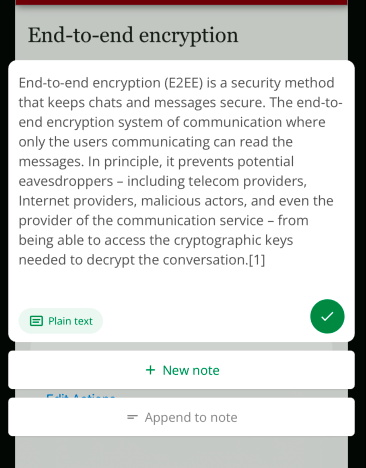
Append to note
- Tap Append to note on the Share extension
- Search for a note to append the web clip to and select it
- Save the web clip.
INFO
The share extension remembers the note you picked, so later clips default to the same one until you change it.
Clipping full webpage content
- Share the web page link to the Notesnook share extension.
- Tap
Web clipat the bottom left.
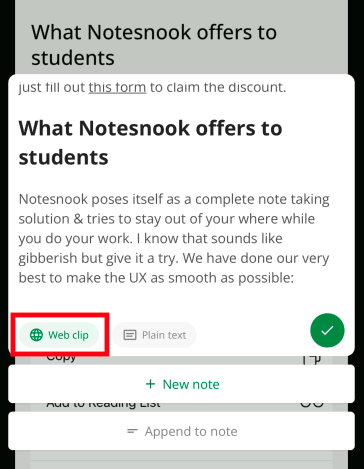
- Save the web clip.
Related pages
- Android quick actions — tiles, shortcuts and the share sheet
- Clipping your first page — areas, modes and organizing clips
- Notebooks — nested notebooks for structure