
Home screen widgets
Basic home screen widgets are available on both Android and iOS for quick note taking.
- Long press home screen
- Tap the + button on top left
- Select Notesnook Quick Note widget and add it to home screen
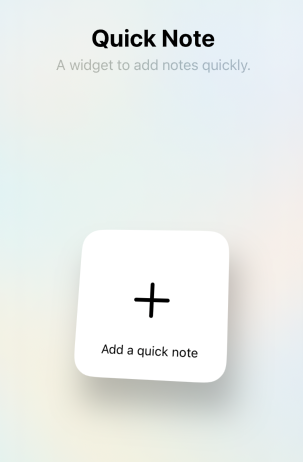
- Tap the widget to directly launch the editor in the app.
Which widgets are available?
Android ships three widgets; iOS ships one.
| Widget | Android | iOS | What it does |
|---|---|---|---|
Quick note (Quick Note on iOS) | Yes | Yes | Opens a small note-taking screen straight from the home screen. |
Note | Yes | No | Shows the title and first line of a note you pick, and opens that note when tapped. |
Reminders | Yes | No | Lists your upcoming reminders and lets you add a new one. |
Quick note
On Android the widget is listed as Quick note, described as Take a quick note. in the widget picker, and appears as a single-line bar. Tapping it opens Notesnook's lightweight note screen without starting the full app.
On iOS the widget is listed as Quick Note, described as A widget to add notes quickly., and shows a plus icon over Add a quick note. Tapping it launches the app straight into the editor with a new note.
Note (Android only)
The Note widget — Add a note to home screen in the widget picker — pins one specific note to your home screen and shows its title and headline. It updates whenever you edit the note.
- Long press the home screen and open the widget picker.
- Drag the Notesnook
Notewidget onto your home screen. - The
Select a notescreen opens — pick the note you want on the widget. - Tap the widget to open that note in the app.
Because the widget is reconfigurable, you can long press it later and choose a different note.
Reminders (Android only)
The Reminders widget — Quick overview of upcoming reminders in the widget picker — shows a scrollable list of your upcoming reminders.
- Long press the home screen and open the widget picker.
- Drag the Notesnook
Reminderswidget onto your home screen. - Tap a reminder in the list to open it in the app, or tap the
+button on the widget to create a new reminder.
Related pages
- Android quick actions — tiles, shortcuts and the share sheet
- Quick notes — writing without opening the app
- Reminders — getting notified about a note