
Jumplist & dock menu
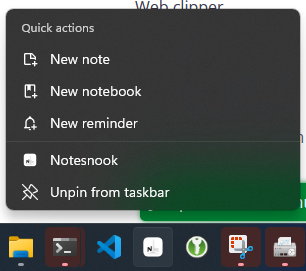
Notesnook supports quick actions from the "jumplist" menu (dock menu on macOS):
How does it work?
Jumplist menu items are responsible for opening Notesnook at the specified page. For example:
- Right click the Notesnook icon in your taskbar/dock
- Click "New notebook"
- Notice how the new notebook dialog is opened after the Notesnook app is focused
Related pages
- Auto start — launching with your computer
- System tray menu — keeping Notesnook out of the way
- Keyboard shortcuts — every shortcut in one place